ChatGPT in Everyday Work Life (Part 1): Powerful Prompts for Web Development, QA, and Project Management!
Thriving in software companies is like a high-speed race where slowing down means falling behind. Whether it’s coding, testing, writing, project management, or

Thriving in software companies is like a high-speed race where slowing down means falling behind. Whether it’s coding, testing, writing, project management, or
Thriving in software companies is like a high-speed race where slowing down means falling behind. Whether it’s coding, testing, writing, project management, or client communication—Being prompt, efficient, and on your toes is always the order of the day. Ever since OpenAI introduced ‘ChatGPT’ into the equation—the most famous artificial intelligence model the public has ever known so quickly—the future of software development is transforming at the speed of light! What's even more intriguing is how the ChatGPT prompts list is being utilized in software development and engineering.
We asked our web development, QA, and project management teams at 'SJ Innovation' for a few ChatGPT prompts examples and how these commands help increase their productivity and achieve better results in their daily tasks and work operations. Here are some of their responses in the form of a ChatGPT prompts list that will prove useful for your everyday tasks!
1. Web development ChatGPT Prompts
First, let's explore how web development ChatGPT prompts can simplify repetitive and everyday tasks.

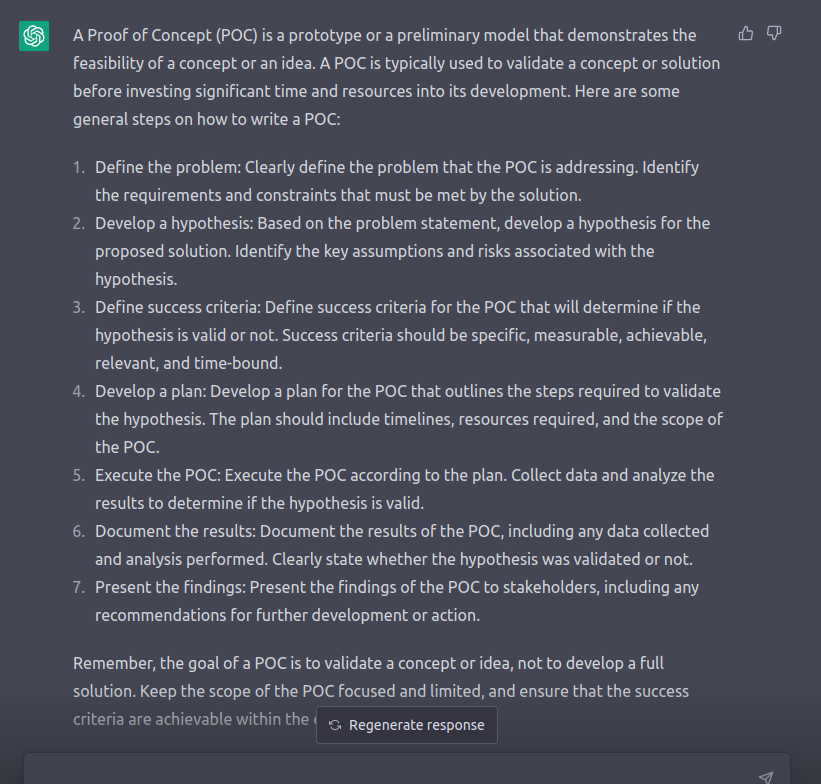
“What are the key elements of a successful proof of concept? Write a step-by-step approach to a proof of concept for a software project.”
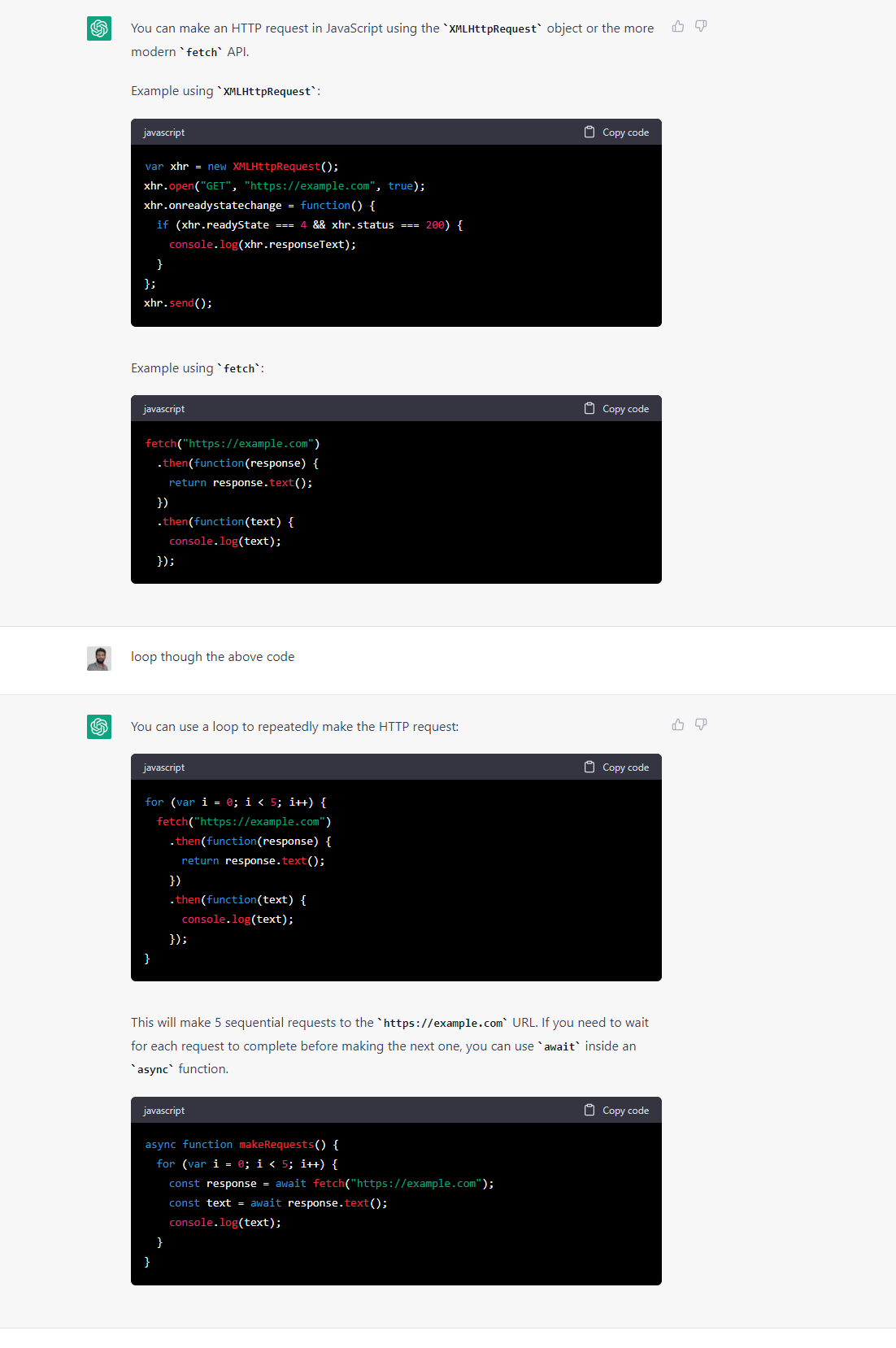
“I need to send an HTTP request in JavaScript. How do I do this?”
“I'm using WP Import Export to transfer content from a Drupal 7 website to WordPress, but the publish dates are being updated to the current date. How can I ensure they stay the same?”

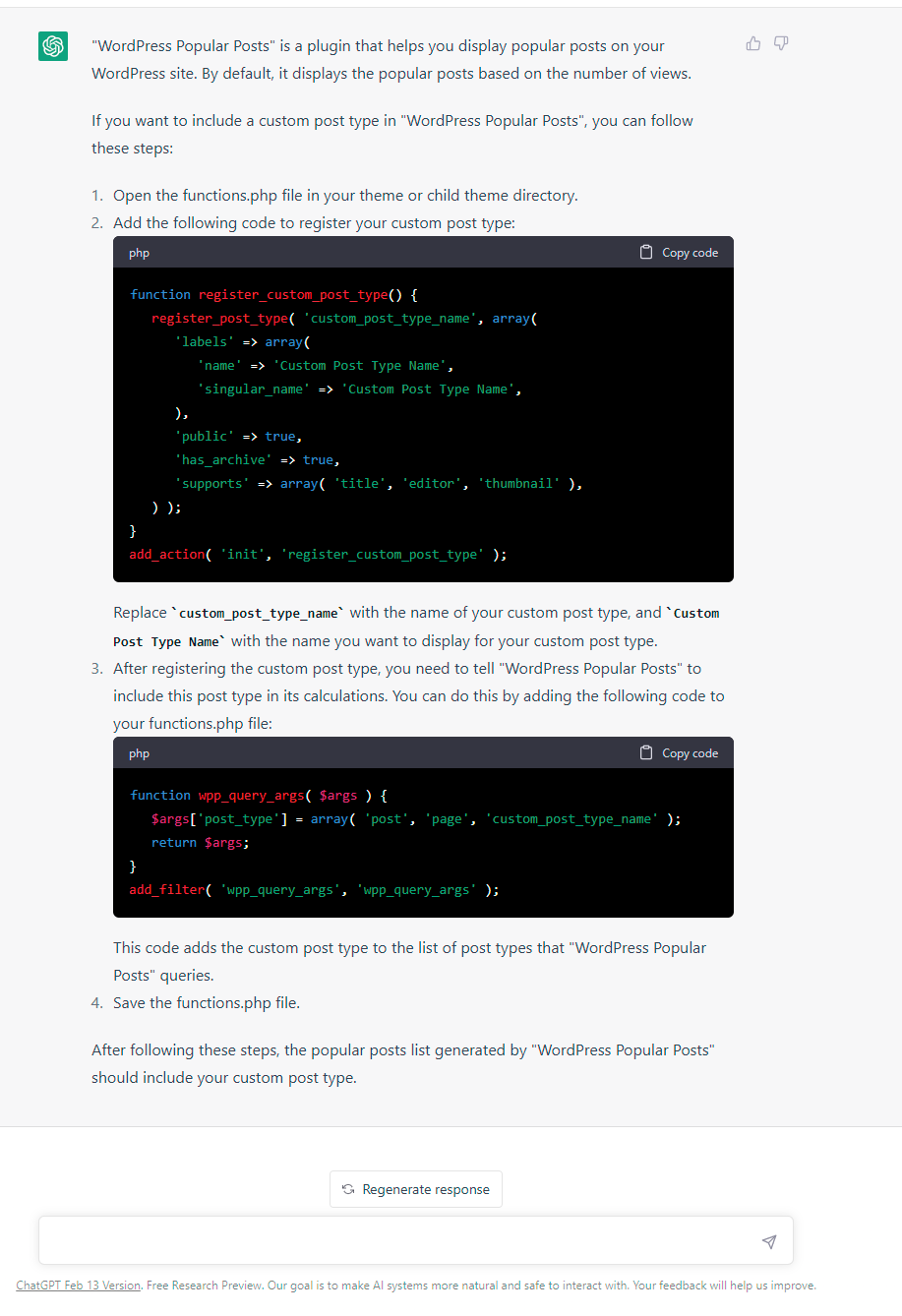
“Can you explain how to include a custom post type in popular posts?”
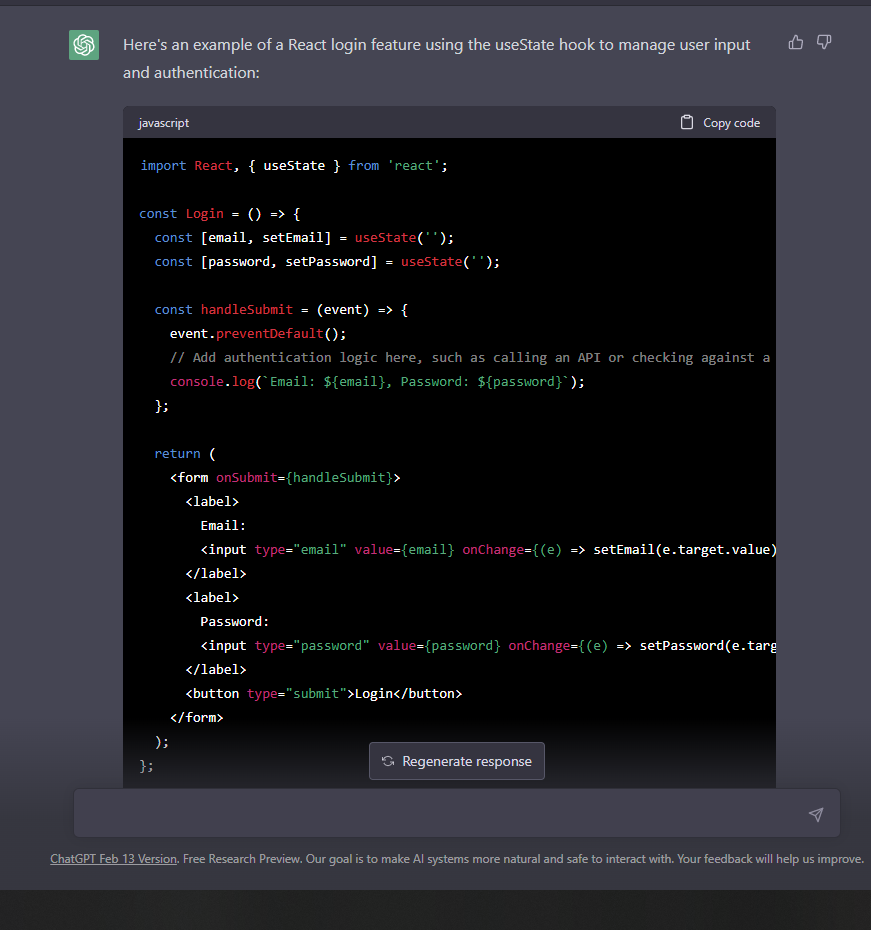
“Can you write the necessary code to add a login feature in React?”
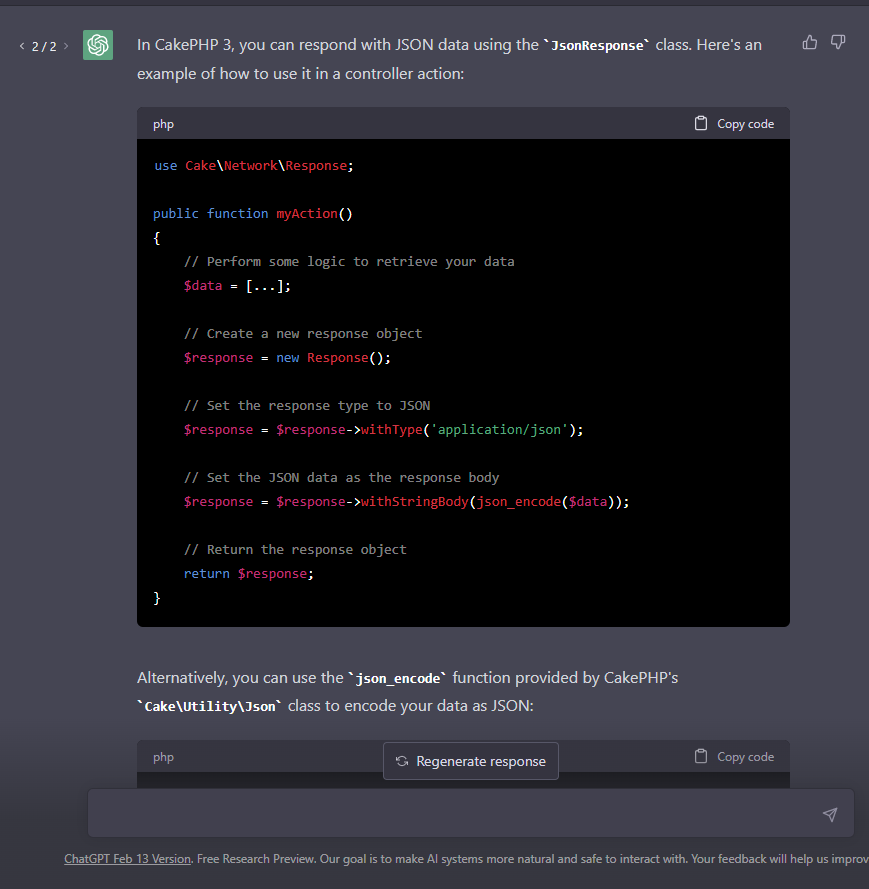
“How can I configure CakePHP 3 to respond with JSON data?”
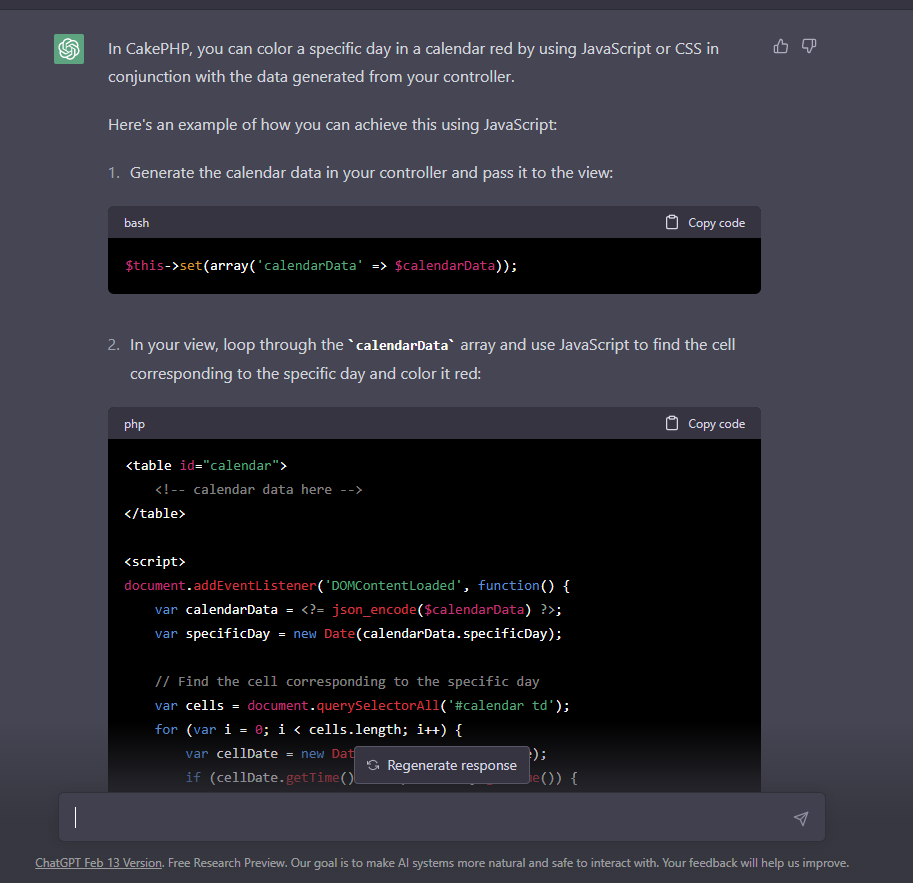
“I need to mark a specific day in red on a full calendar in CakePHP. How do I get the current day from the controller to do this?”
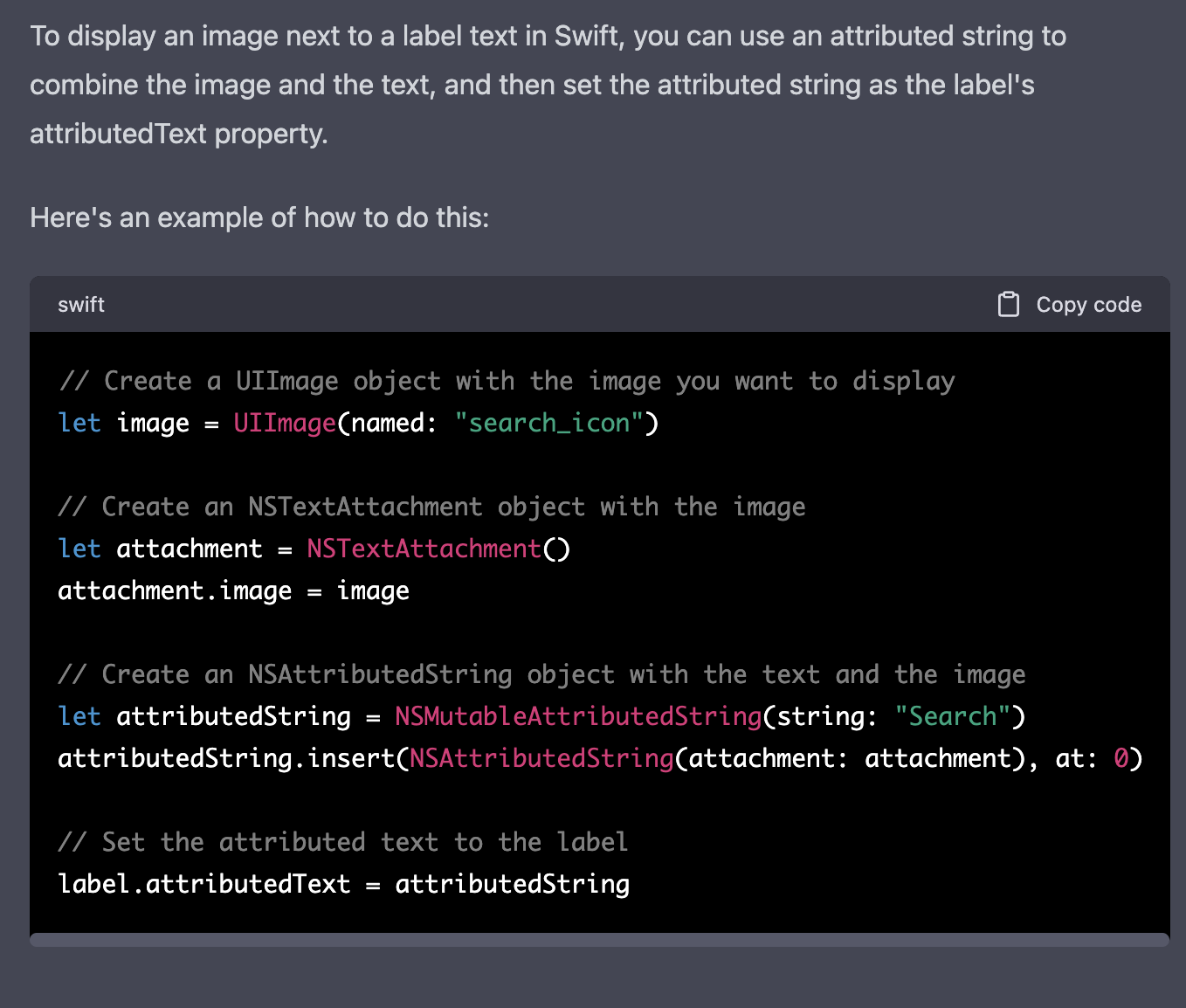
“What is the best way to set an image as the text of a label in Swift? Specifically, the label text should be formatted as 'image + Search'”
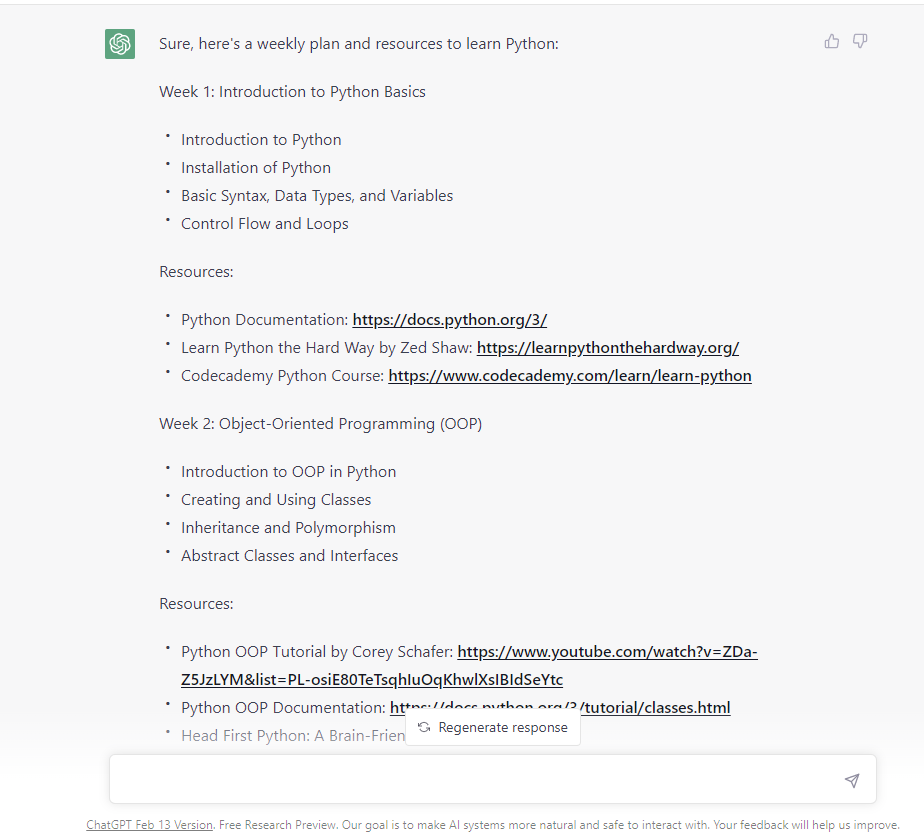
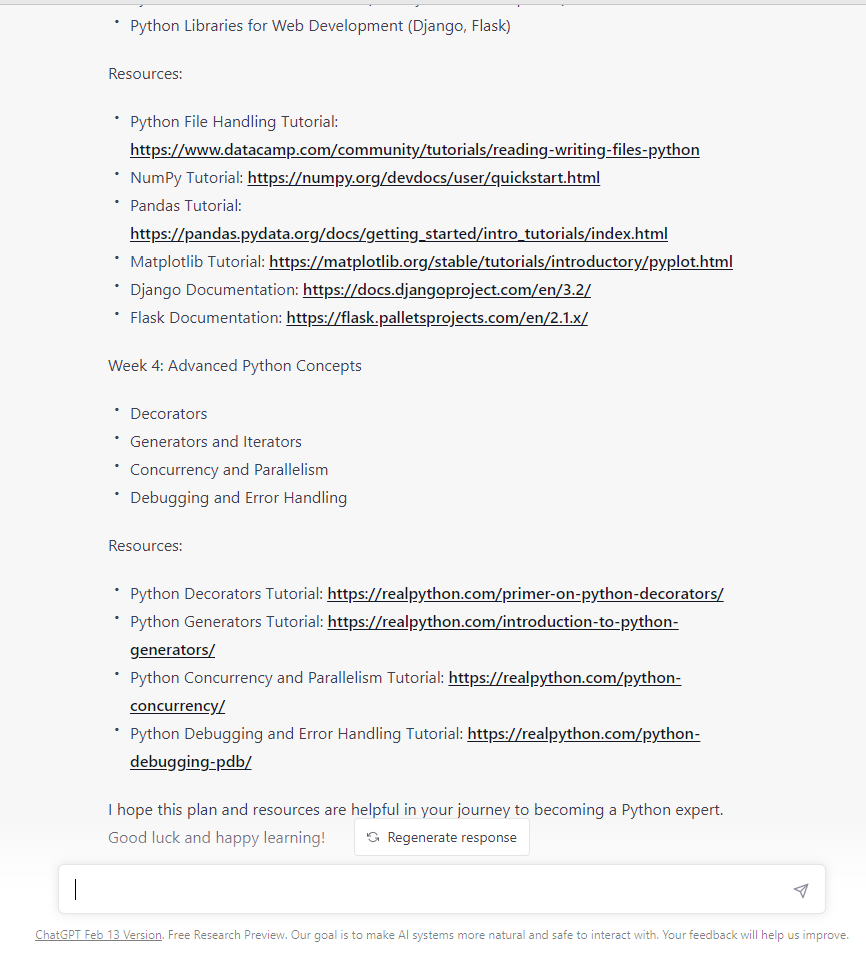
“As a Python expert, create a weekly training plan and mention some relevant resources for learners.”
“I want to stop users from submitting a content type more than twice in Drupal. What code should I use?”
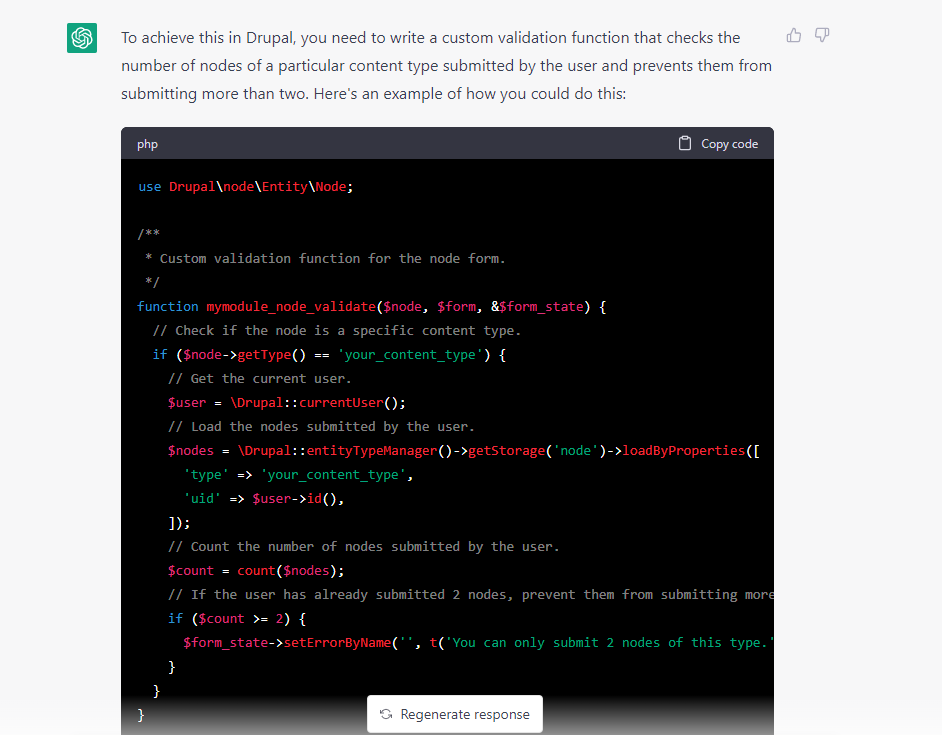
Additional suggestions were given by ChatGPT for the same prompt

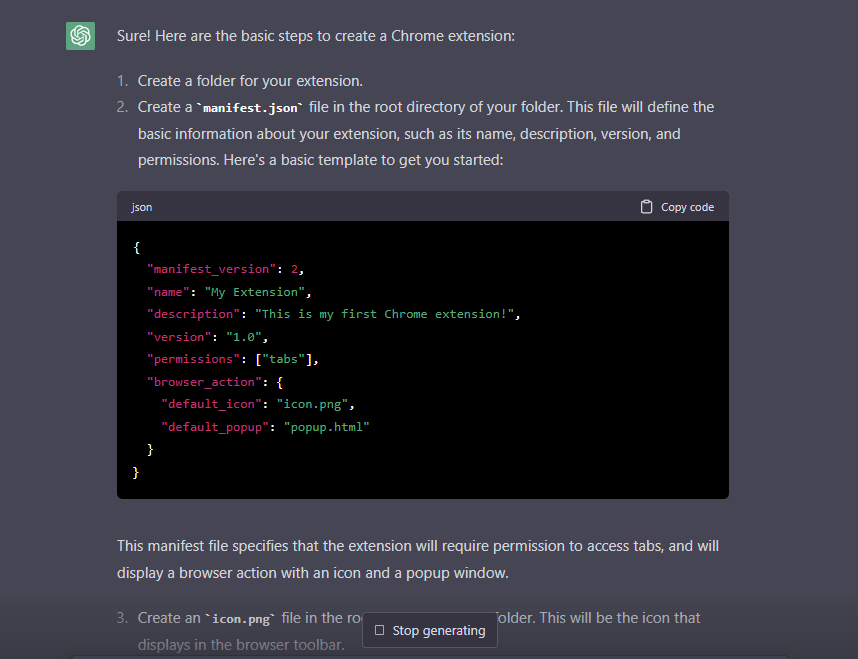
“How do I create a basic Chrome extension?”
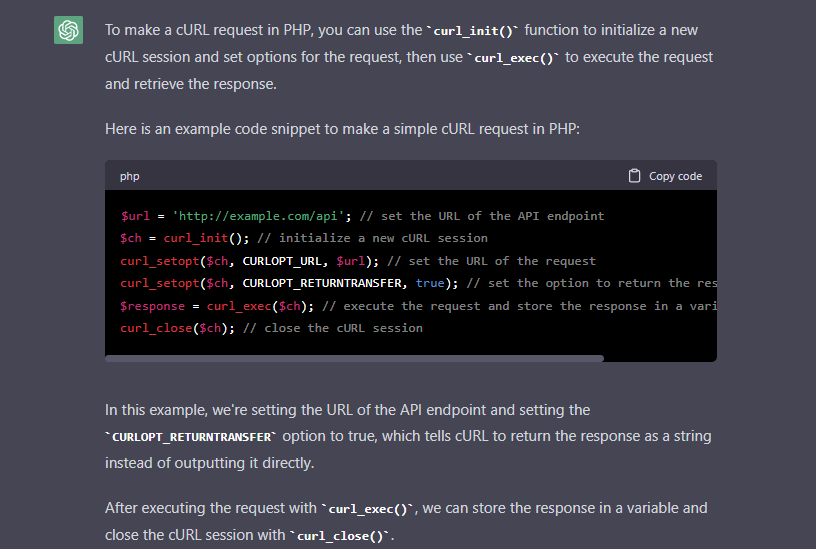
“Can you explain how to implement a cURL request using PHP?”
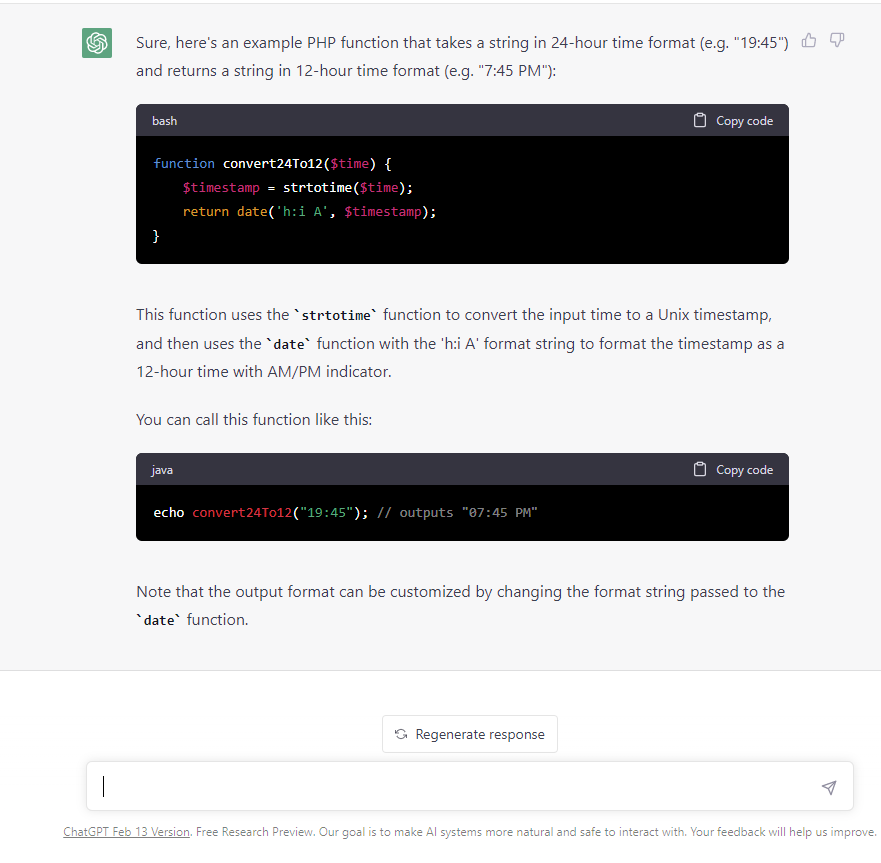
“How do you write a PHP function that converts time from the 24-hour format to the 12-hour format?”
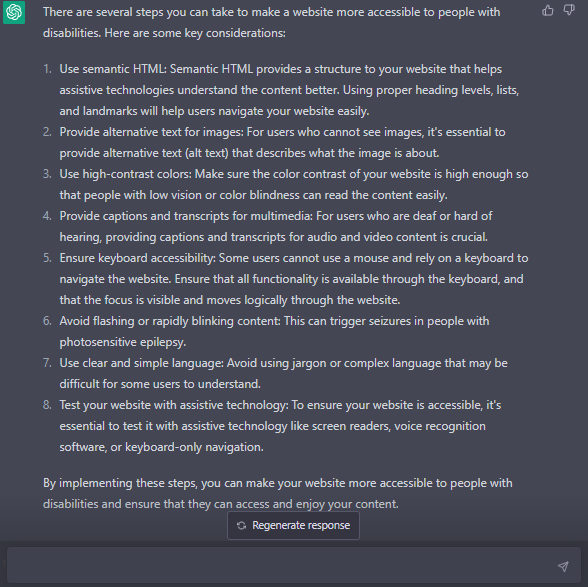
“What steps can you take to make your website more accessible to individuals with disabilities?”
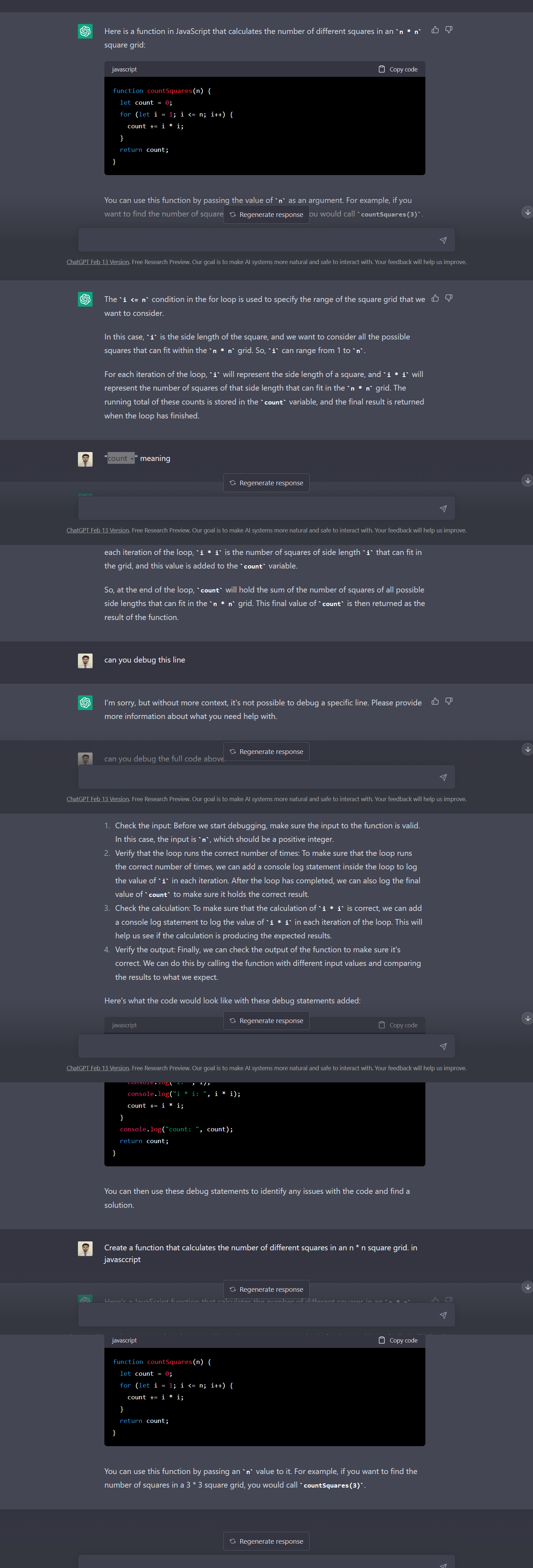
“What is the algorithm for calculating the number of unique squares in an n x n square grid using JavaScript?”
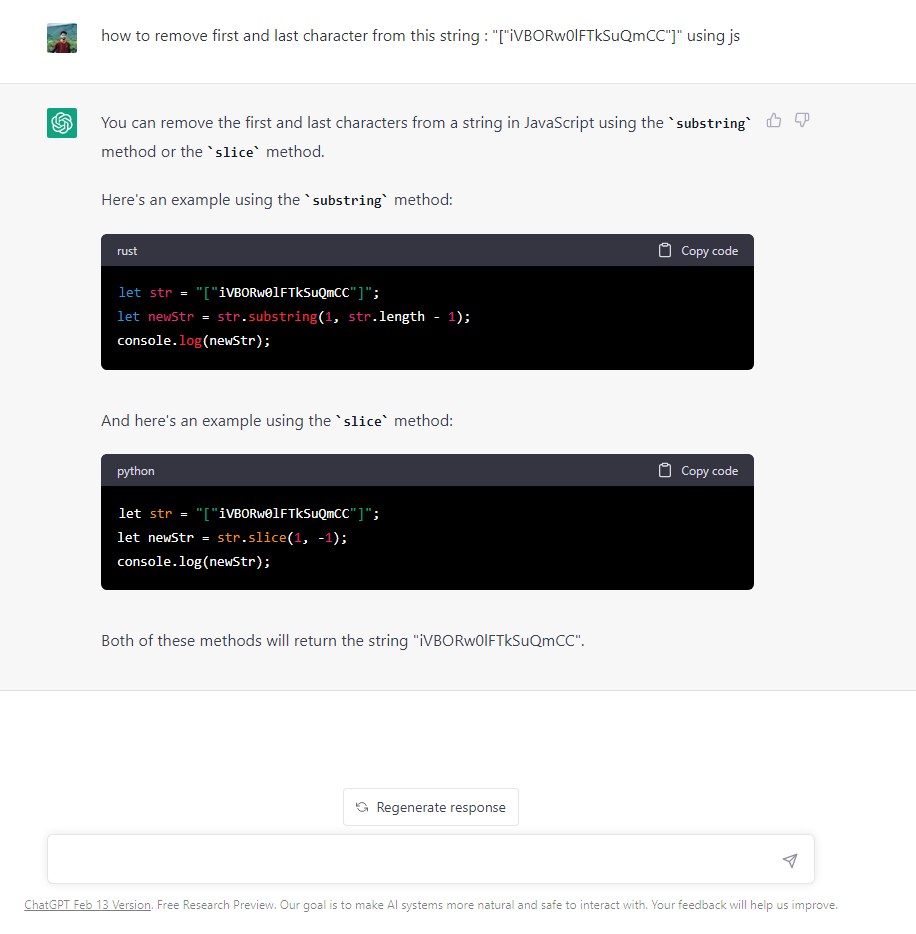
“How can you use JavaScript to remove the first and last characters from the string "["iVBORw0lFTkSuQmCC"]”
“Refactor the following functional component into a class component. You can refer to the provided Cart component”
const Modal = ({ handleAddToCart, handleCheckout, handleModalClose }) => {
return (
<div className="modal" onClick={(e) => e.preventDefault()}>
<div class="modal-content">
<h3>
Subscribe to course
<button className="close" onClick={handleModalClose}>
×
</button>
</h3>
<p>You can Proceed to Checkout or add to Cart</p>
<div className="modal-ctrl">
<button className="modal-add-to-cart-btn" onClick={handleAddToCart}>