What You Need to Know about GraphQL in Magento
Finding various approaches to working with APIs is easy, yet GraphQL emerges to be the most victorious for the simple fact because its many strengths can benefi

Finding various approaches to working with APIs is easy, yet GraphQL emerges to be the most victorious for the simple fact because its many strengths can benefi
Finding various approaches to working with APIs is easy, yet GraphQL emerges to be the most victorious for the simple fact because its many strengths can benefit you in the best way. But, what exactly is GraphQL and why so much buzz around it? Let’s figure out more here.
GraphQL is a data query language developed by Facebook. Magento supports GraphQL along with REST API architecture. There are some awesome GraphQL APIs already provided by Magento as a part of the installation.
Magento provides default GraphQL APIs for some of its modules. To access these APIs there are different API testing tools like GraphiQL, Postman, Firecamp, and so on. In this article, we make use of the GraphiQL chrome extension to test our GrpahQL APIs.
Grapql supports two types of operations :
- Queries
- Mutation
Queries are used to fetch only data from the database, whereas mutations are used to make changes in the database such as adding new records, updating existing records, deleting records. You can check out the existing GraphQL queries and mutations at your_domain_name/graphql endpoint.
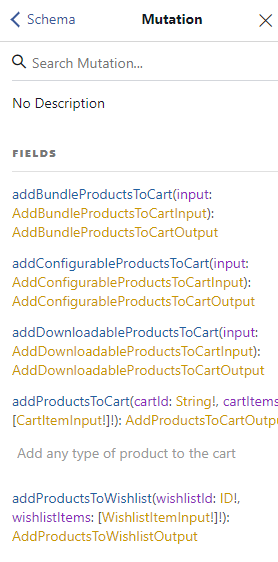
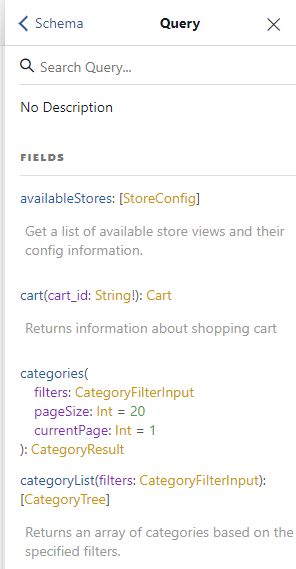
How to create graphql API for your custom Magento module
As we know, in Magento development services, to build any custom Magento module we need the Vendor name and module name. In the article, we have used Sjinnovation as vendor name and GraphqlDemo as the module name. Let's get started with the basic steps involved in creating a Magento module.
Create module.xml
app\\code\\Sjinnovation\\GraphqlDemo\\etc\\module.xml
<?xml version="1.0"?>


<config xmlns:xsi="http://www.w3.org/2001/XMLSchema-instance" xsi:noNamespaceSchemaLocation="urn:magento:framework:Module/etc/module.xsd">

    <module name="Sjinnovation_GraphqlDemo" setup_version="1.1.0">

        <sequence>

            <module name="Magento_GraphQl"/>

            <module name="Sjinnovation_Videos"/>

        </sequence>

    </module>

</config>
To use Graphql in the custom module we need to specify a Magento graphql module in the dependency list ( i.e Magento_GraphQl) of our module.xml file. Additionally, you can specify the other necessary modules as per your requirement. We have used a module Sjinnovation_Videos which does all the required CRUD operations on the custom table in the database.
Register the module
app\\code\\Sjinnovation\\GraphqlDemo\\registration.php
<?php \\Magento\\Framework\\Component\\ComponentRegistrar::register(

    \\Magento\\Framework\\Component\\ComponentRegistrar::MODULE,

    'Sjinnovation_GraphqlDemo',

    __DIR__

);
GraphQL Query
Setup Graphql Schema
Create a new file with the name schema.graphqls in etc directory
app\\code\\Sjinnovation\\GraphqlDemo\\etc\\schema.graphqls
type Query {

getVideoData : [VideoData] @resolver (class:"\\\\Sjinnovation\\\\GraphqlDemo\\\\Model\\\\Resolver\\\\VideoDataResolver") @doc(description:"List of videos")

}

type VideoData {

video_id: Int @doc