Top 12 Figma Plugins for Enhancing Your Design Workflow (Part 2)
Designers, are you tired of wasting precious hours on repetitive tasks that make your workflow feel like a tedious chore? Well, today we're going to change that

Designers, are you tired of wasting precious hours on repetitive tasks that make your workflow feel like a tedious chore? Well, today we're going to change that
Designers, are you tired of wasting precious hours on repetitive tasks that make your workflow feel like a tedious chore? Well, today we're going to change that! In our previous blog post, we shared 12 Figma plugins that can enhance your design workflow, but we're not done yet. As a design fanatic myself, I'm always on the lookout for new tools to take my work to the next level. So, I've spent countless hours testing, analyzing, and optimizing to bring you the ultimate guide to the best Figma plugins for web design - Part 2.
With these top plugins for Figma, you'll have everything you need to supercharge your design process and create stunning visuals in less time. Whether you're a seasoned pro or just starting, these plugins will make you feel like a design wizard! So, let's dive into the top 12 Figma plugins that will revolutionize the way you work. Are you ready to unlock your design potential? Let's go!
1. Clean Document
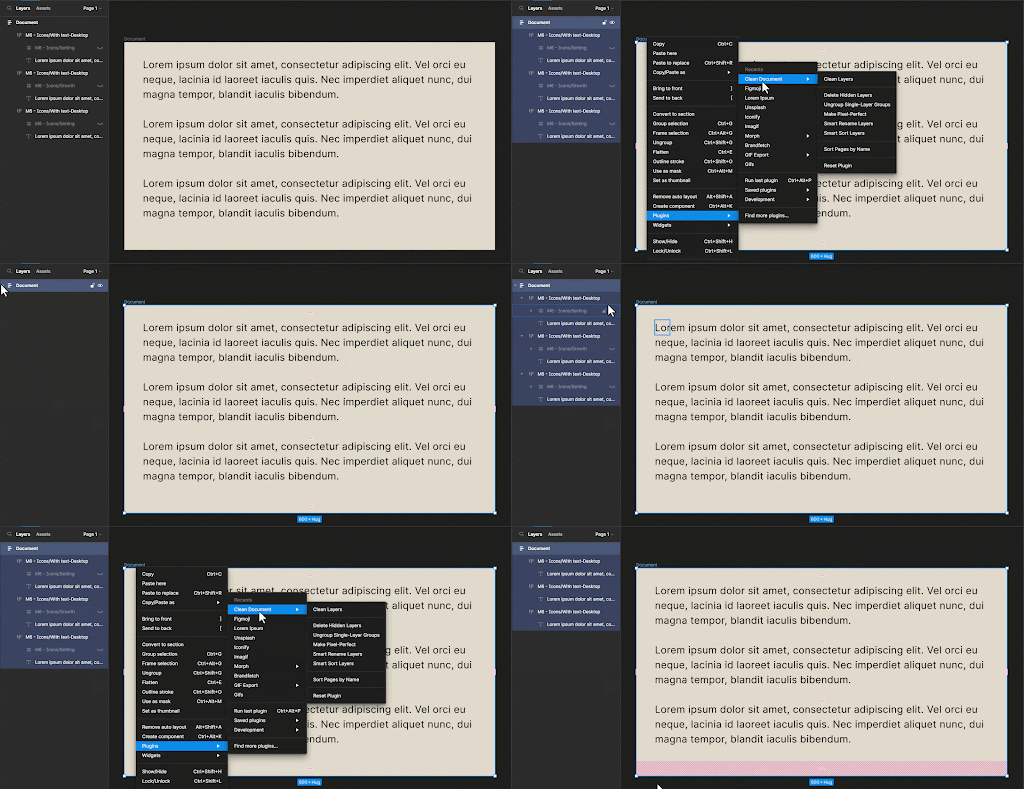
Introducing the Figma Clean Document Plugin - the ultimate tool that helps enhance your design game! With this plugin, you can bid adieu to cluttered documents and obtain crystal-clear visuals along with a cleaner, more professional design workflow. It's also easy to use. With Clean Document, you can enjoy a range of benefits, including:
- Ungroup single-layer groups
- Delete hidden layers
- Make Pixel-Perfect
- Rename and sort layers
- Sort pages in alphabetical order
- Reset plugins to default state
Plugin Link: https://www.figma.com/community/plugin/767379019764649932
2. LottieFiles
You may also try out the Figma animation library plugin to add even more diversity to your projects. This plugin makes it simple to bring your ideas to life by allowing you to browse and apply a huge selection of already-made animations right to your Figma projects.
You are able to include animations in your designs with the LottieFiles plugin. Through this Figma animation plugin, there are thousands of free SVG and GIF animations available on LottiFiles that you may use in your projects.

Plugin Link: https://www.figma.com/community/plugin/809860933081065308
3. Rename It
Even for seasoned designers, keeping track of layers and frames in Figma may be challenging. The Rename plugin is a reliable answer to this frequent problem.
‘Rename It’ keeps files organized with the batch renaming of layers and frames. More specifically, here are the features the Figma plugin for layer renaming offers:
- Easily copying layers
- Multiple layers renaming
- Layer renaming in sequence
- Change any word or character from the chosen layers

These features make this Figma batch renaming plugin fantastic for speeding workflow and letting you concentrate your mind on the end goal rather than stressing over file organization!
Plugin Link: https://www.figma.com/community/plugin/731271836271143349
4. Font Preview
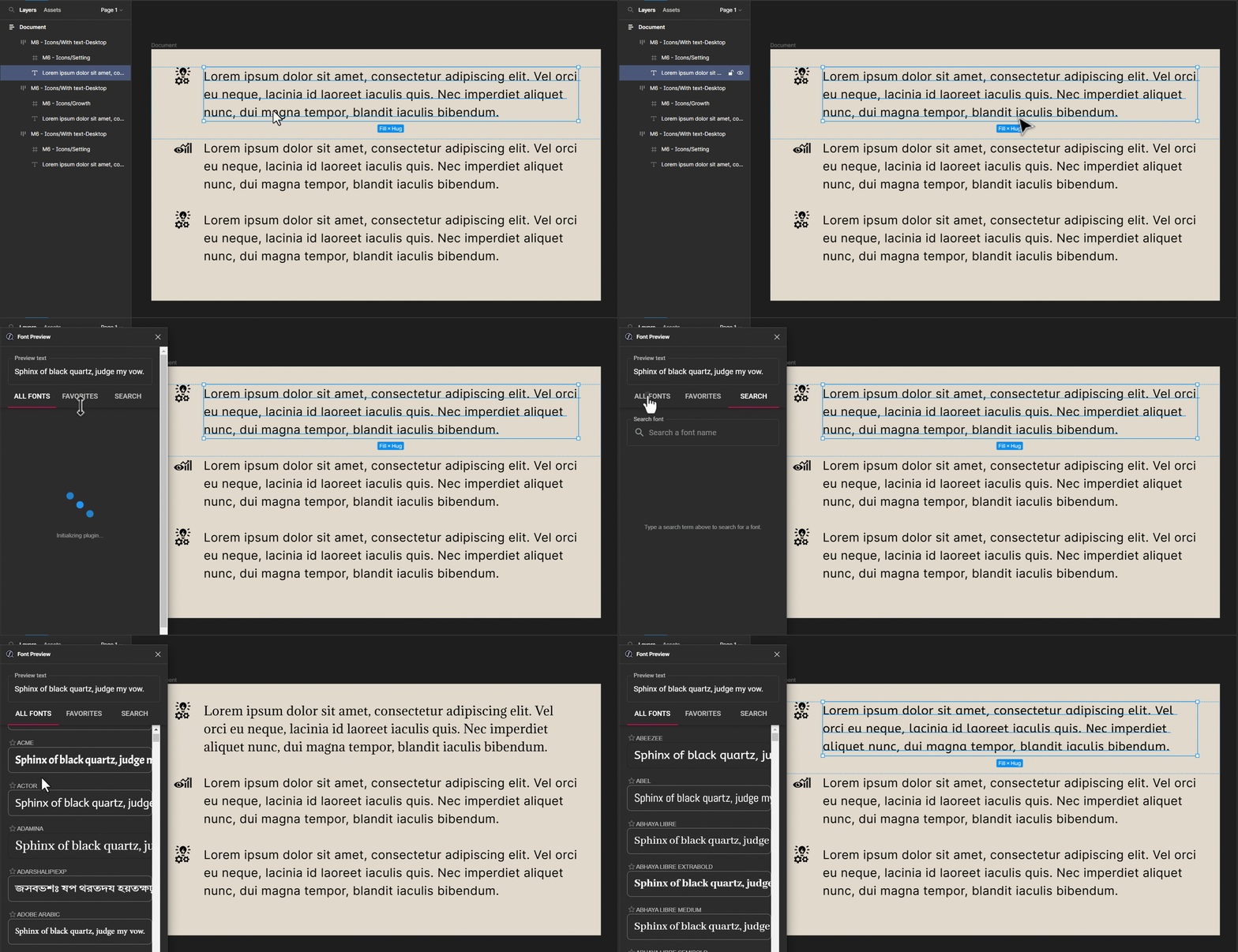
Adding font to Figma? We are all familiar with several fonts and can see their typefaces. However, because we only have a small selection of fonts in our brain libraries, when we need something unusual and different from Montserrat or SF Pro Text, we have to guess what this kind of font is. However, with the Figma Font Preview Plugin, you don’t have to! Browse through the font preview live to save time.
Plugin Link: https://www.figma.com/community/plugin/890494567122693015
5. Beautiful Shadows
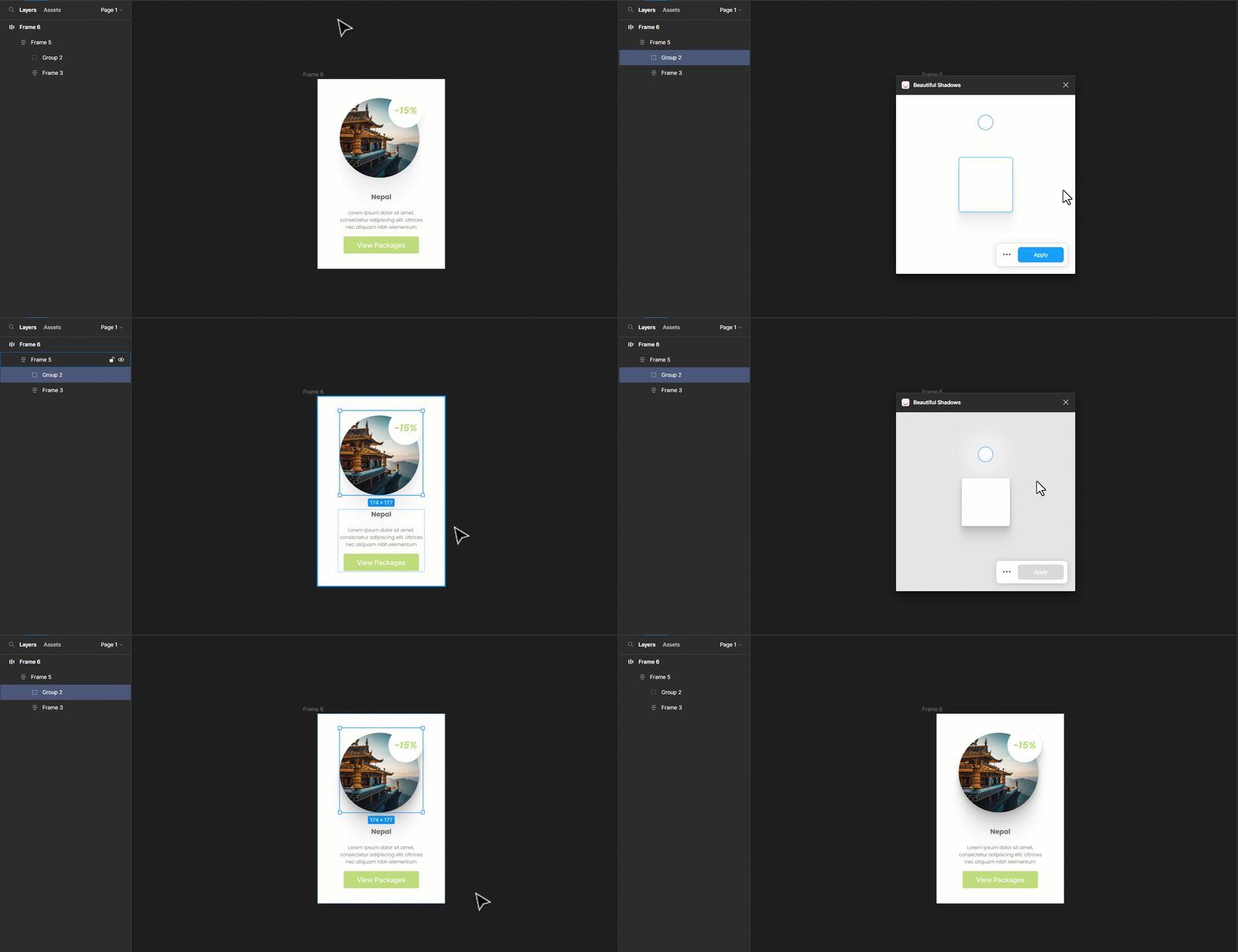
Looking for the best Figma plugins for shadows? “Beautiful Shadows” is an awesome Figma shadow plugin. When you start using beautiful shadows, it will be tough to stop using them. This realistic shadow plugin for Figma has 6 layers.
Plugin Link: https://www.figma.com/community/plugin/890494567122693015
6. Material Design Icons
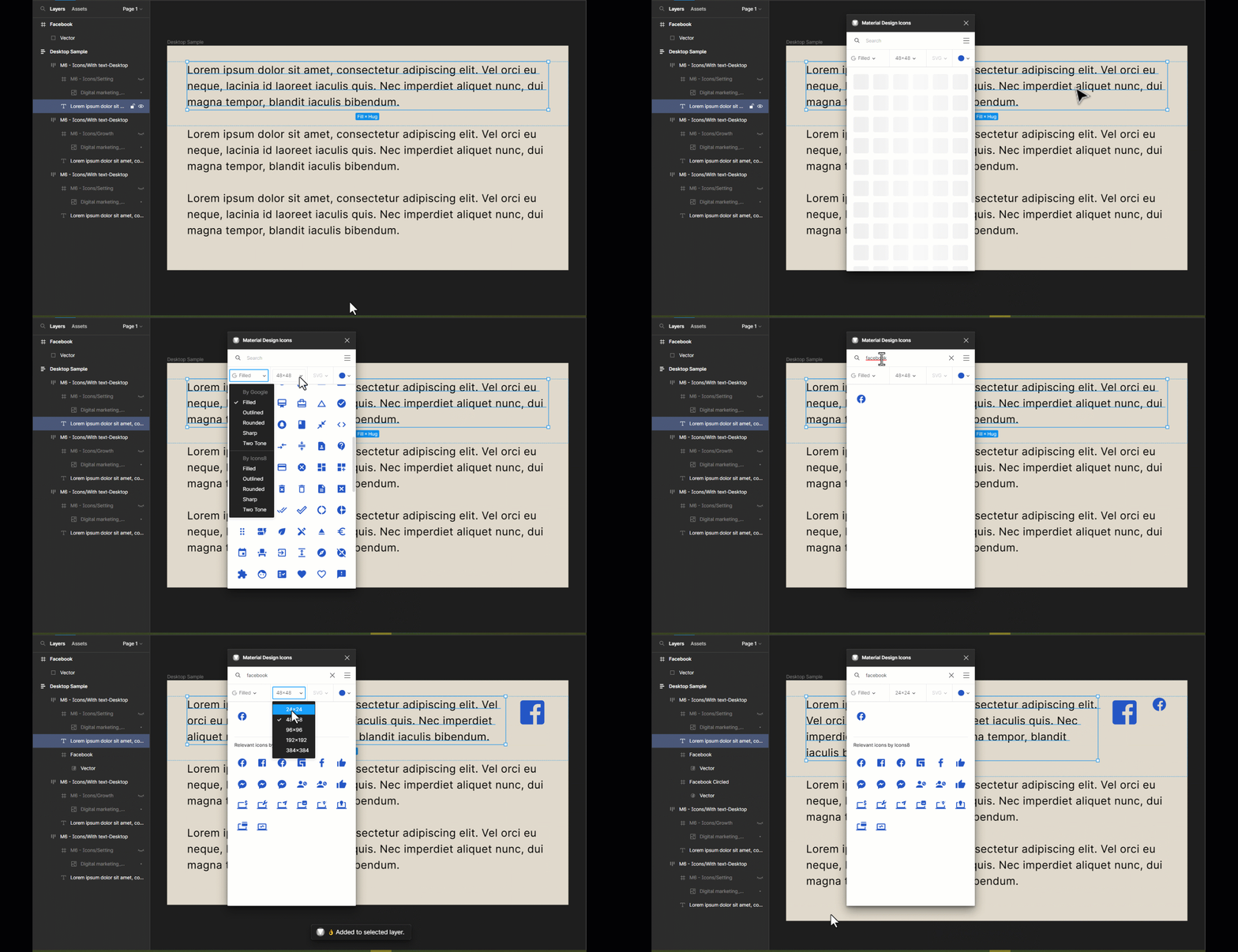
Grappex.com was the company that first developed Material Design Icons for Figma. You may get 27k new icons from the vast library of Material Design Icons, which can be used for a variety of platforms and uses. Both PNG and SVG are available for all of them. Through this Figma icon library plugin, you can find an icon by searching for it by name. Additionally, you may sort them using various categories, sizes, and stylings. Users have access to a variety of style options, including filled, rounded, and outlined styles. Most significantly, it is cost-free, easy to use, and extremely fast.
Plugin Link: https://www.figma.com/community/plugin/740272380439725040
7. Blob – Free Figma Plugin
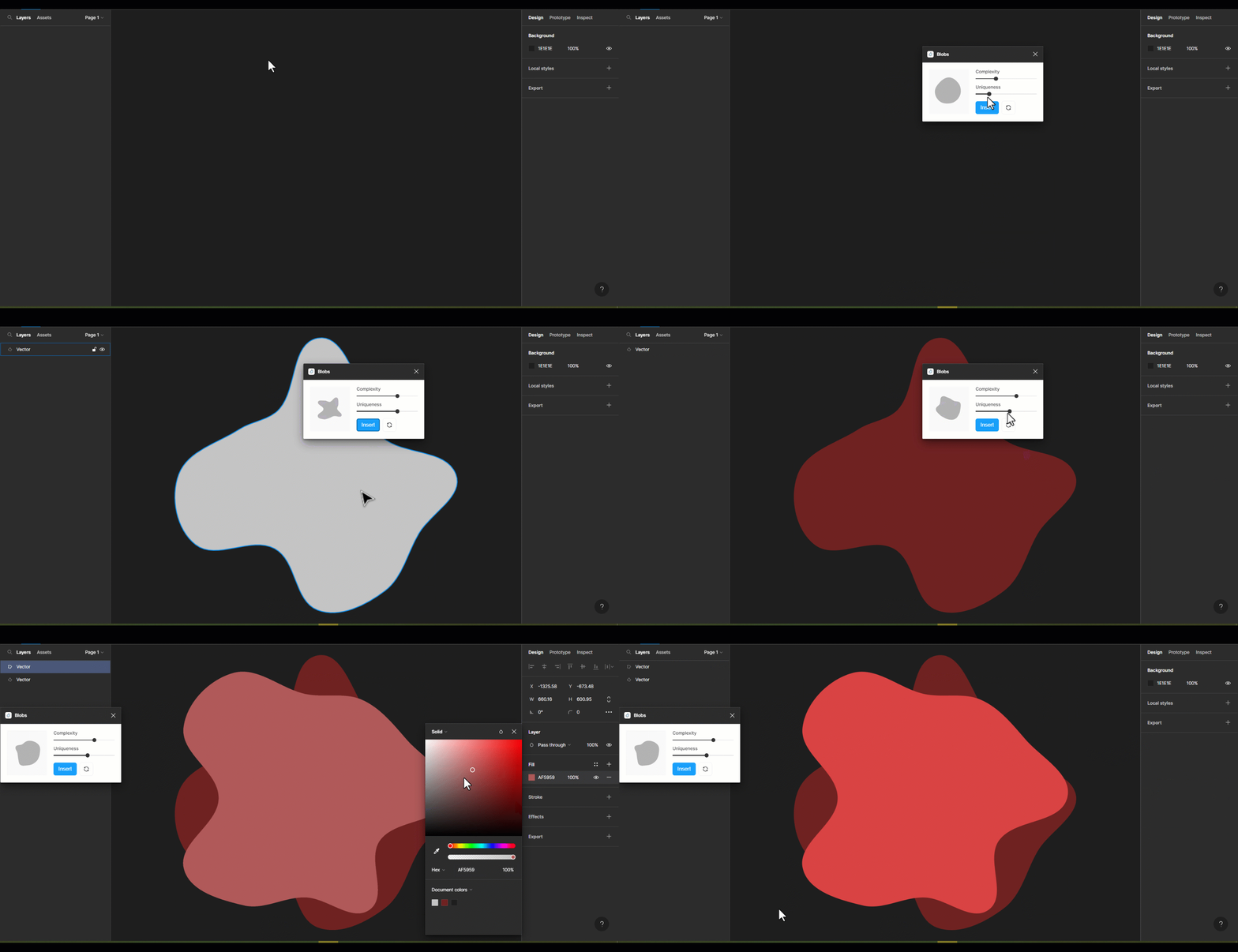
With this free blob generator plugin for Figma, all you need is a single click to generate organic blob shapes. Each shape that is created is different from the previous one. You can control how unique a shape is along with how many points it has. Making blob shapes for designs has never been so easy before Blob. This Figma plugin is for creating original blob shapes. Additionally, you will have complete control over the uniqueness and number of points in the shape. This blob generator creates all the shapes using SVG.
Plugin Link: https://www.figma.com/community/plugin/739208439270091369
8. Get Waves
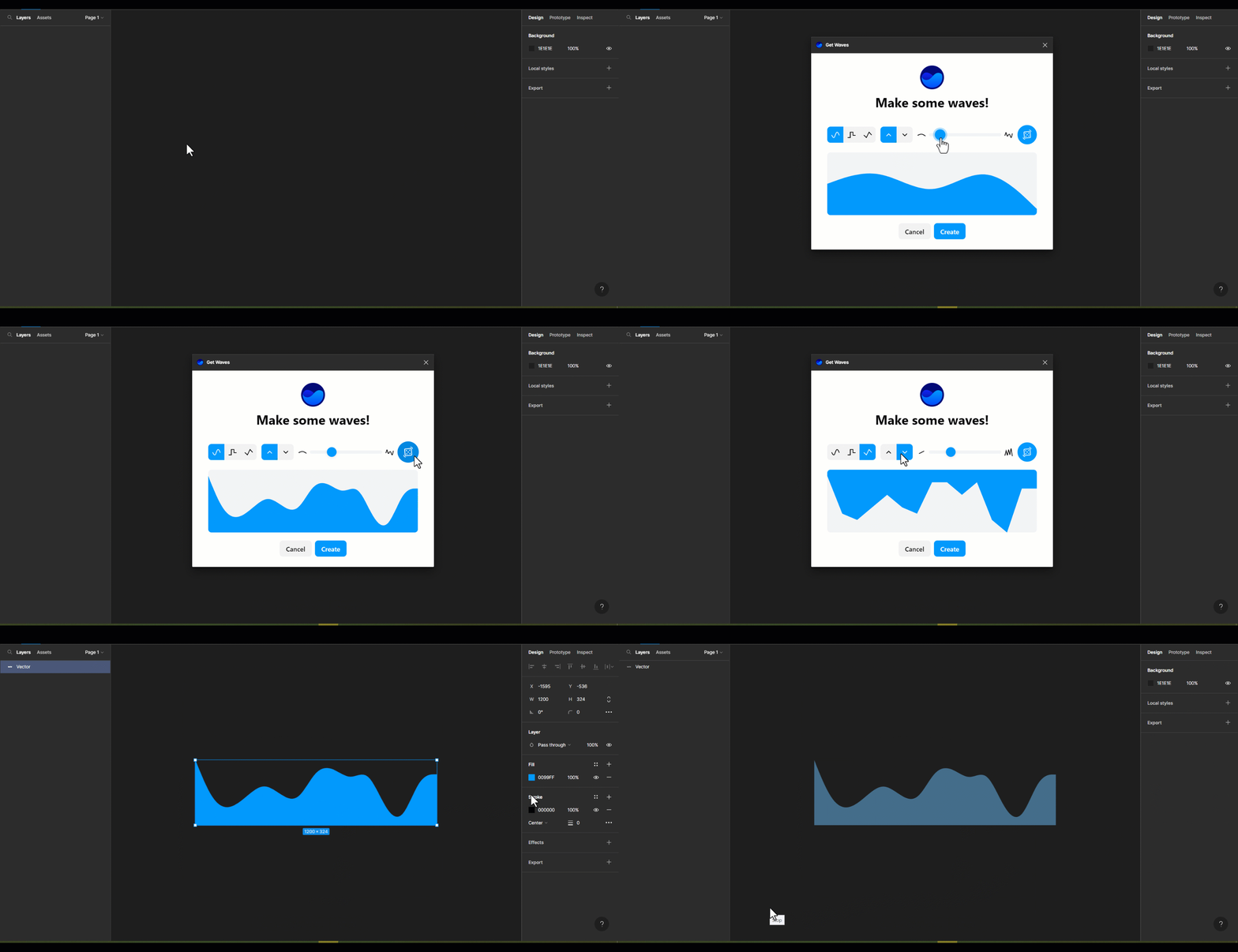
The Figma plugin Get Waves creates Waves for free in SVG format. With this Figma Wave Generator Plugin, you may pick the curve of your choice, decide its complexity, and randomize it.
Plugin Link: https://www.figma.com/community/plugin/745619465174154496
9. Social Media Image Size
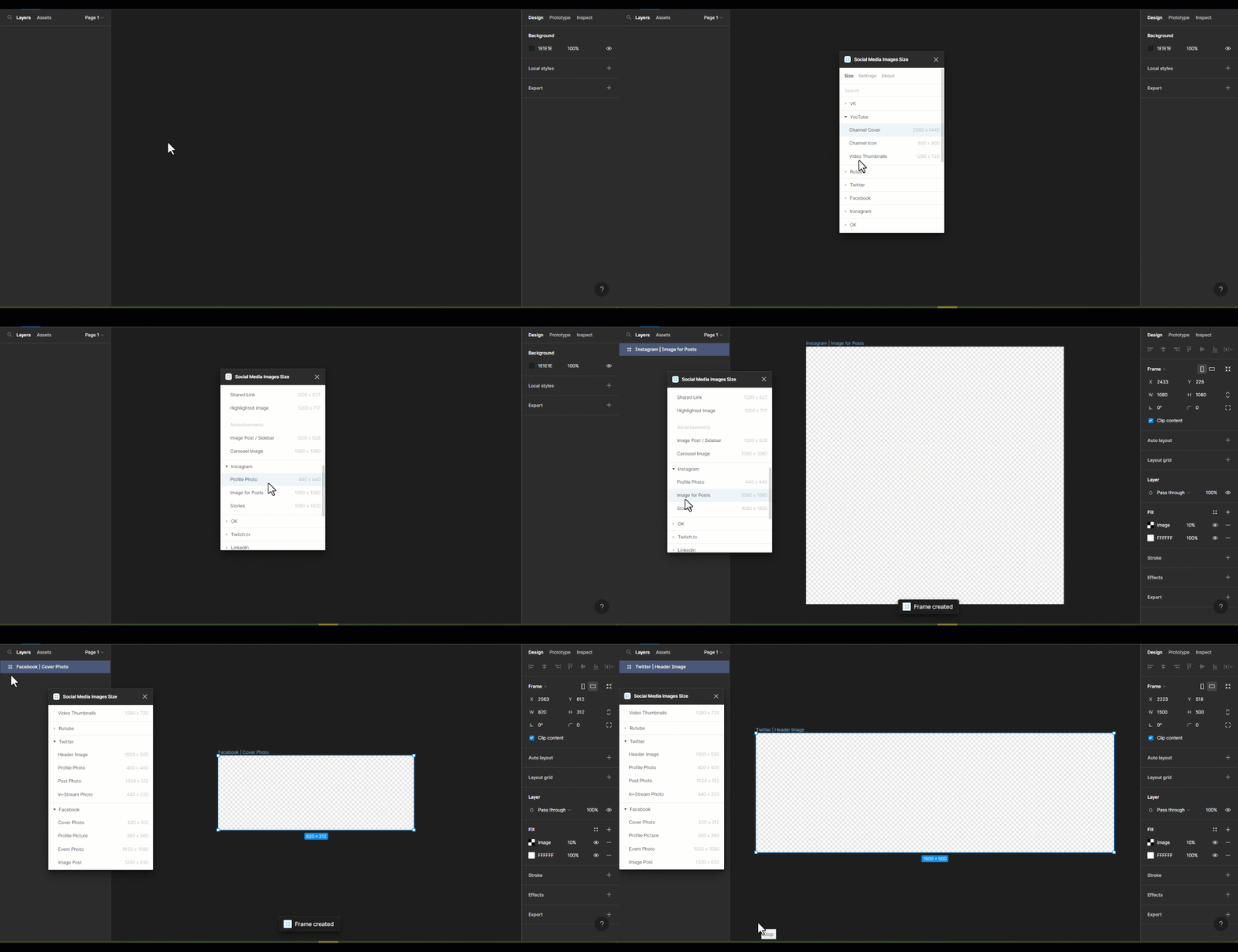
There is also a specific Figma plugin for social media graphics! If you need social media image size requirements and you are struggling to find it for its actual size then you can use the social media image size Figma plugin. This plugin is very easy to use, simple, and handy. To use this Gigma social media plugin, you just need to select your social media post size and put an image there.
Plugin Link: https://www.figma.com/community/plugin/750116735703341112
10. Mockuuups Studio
When you work for a digital product agency, having access to the mockuuups studio makes creating mockups quick and easy. When building mobile and web applications, being able to visualize the designs for your s