Top 14 AWS Cloud Security Best Practices: Part 2
We hope we haven’t kept you in suspense for too long. Here’s part 2 of the top 10 AWS cloud security best practices. In Part 1, we looked at what AWS Cloud secu

We hope we haven’t kept you in suspense for too long. Here’s part 2 of the top 10 AWS cloud security best practices. In Part 1, we looked at what AWS Cloud secu
We hope we haven’t kept you in suspense for too long. Here’s part 2 of the top 10 AWS cloud security best practices. In Part 1, we looked at what AWS Cloud security is, the key aspects of AWS security, and which AWS components need security attention. Now, let’s look at the challenges to implementing AWS Security and the 14 AWS security best practices that can greatly lower your risk.
Challenges to Implementing AWS Security
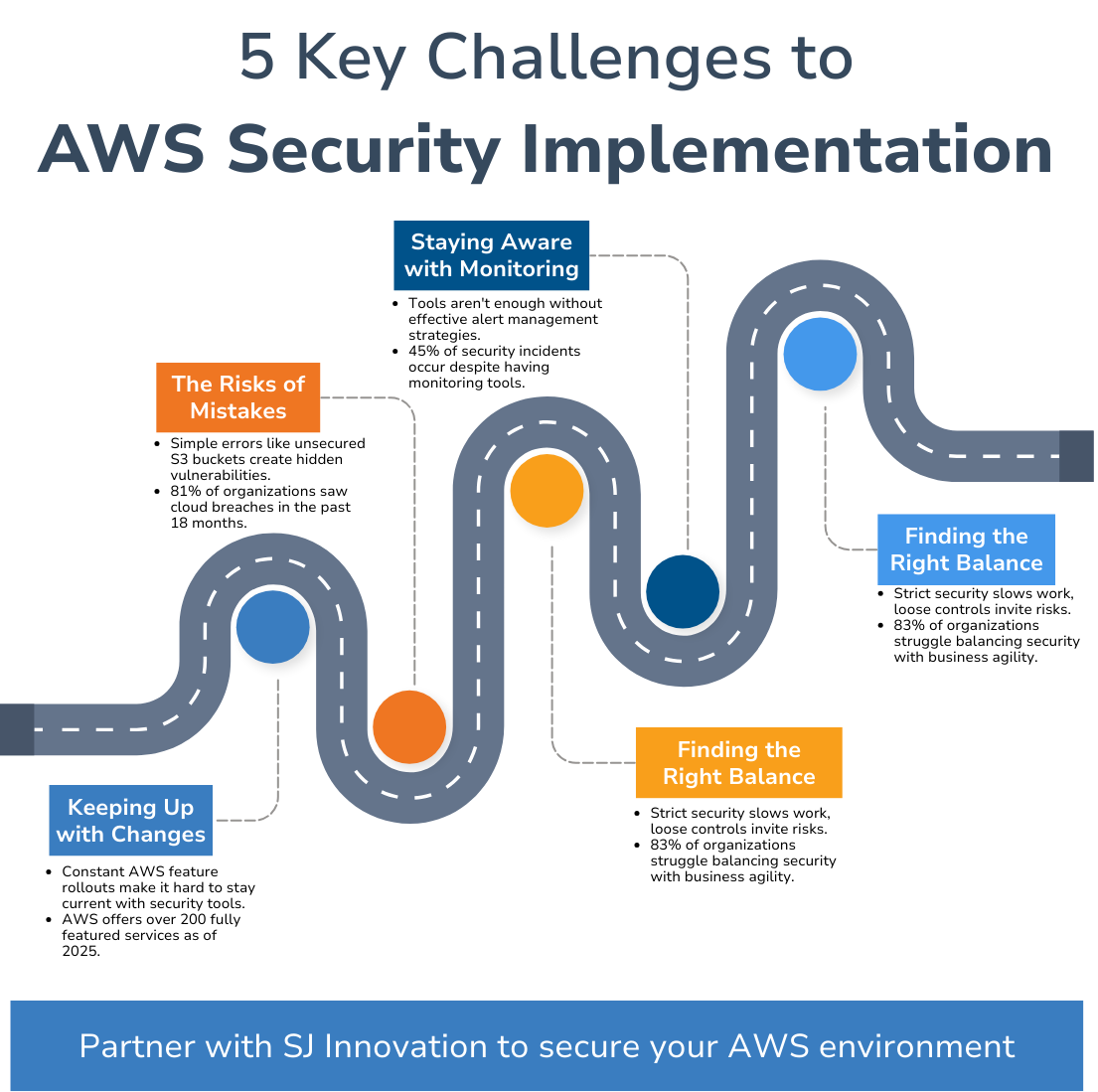
AWS has some robust security tools to eliminate cloud security threats, but putting together a solid security strategy can be tougher than it seems. Here are the main hurdles organizations face when securing their AWS environments.
- Keeping Up with Changes
AWS is constantly rolling out new features, including updates to AWS security best practices and the AWS Well-Architected Framework, and honestly, most teams find it tough to keep up. Without the right know-how, you might overlook the latest AWS security tools or how to use them properly.
- The Risks of Mistakes
Just one little error, like leaving an S3 bucket open without proper AWS IAM -- aws IAM role settings, can lead to some pretty serious security holes. It happens more often than you might think and can fly under the radar.
- Finding the Right Balance
Sure, security is important, but being overly strict can slow down the team’s productivity. You’ve got to find that sweet spot—setting the right limits without making work harder.
- Staying Aware with Monitoring
AWS gives you tools like CloudTrail and CloudWatch, , part of any aws security best practices checklist. But having them isn’t enough. You need a solid plan for using them effectively. Otherwise, you might miss key alerts until it's too late.
- The Price of Security Tools
Many AWS features, such as AWS encryption and ensuring AWS HIPAA compliance, come at a price. For businesses watching their budgets, that can be challenging. But skimping on security can lead to bigger headaches later—both in costs and reputation.
These challenges aren’t unique to AWS, but they tend to be magnified by its size and complexity. Dealing with them needs careful planning, consistent monitoring, and the right expertise.
AWS Cloud Security Best Practices
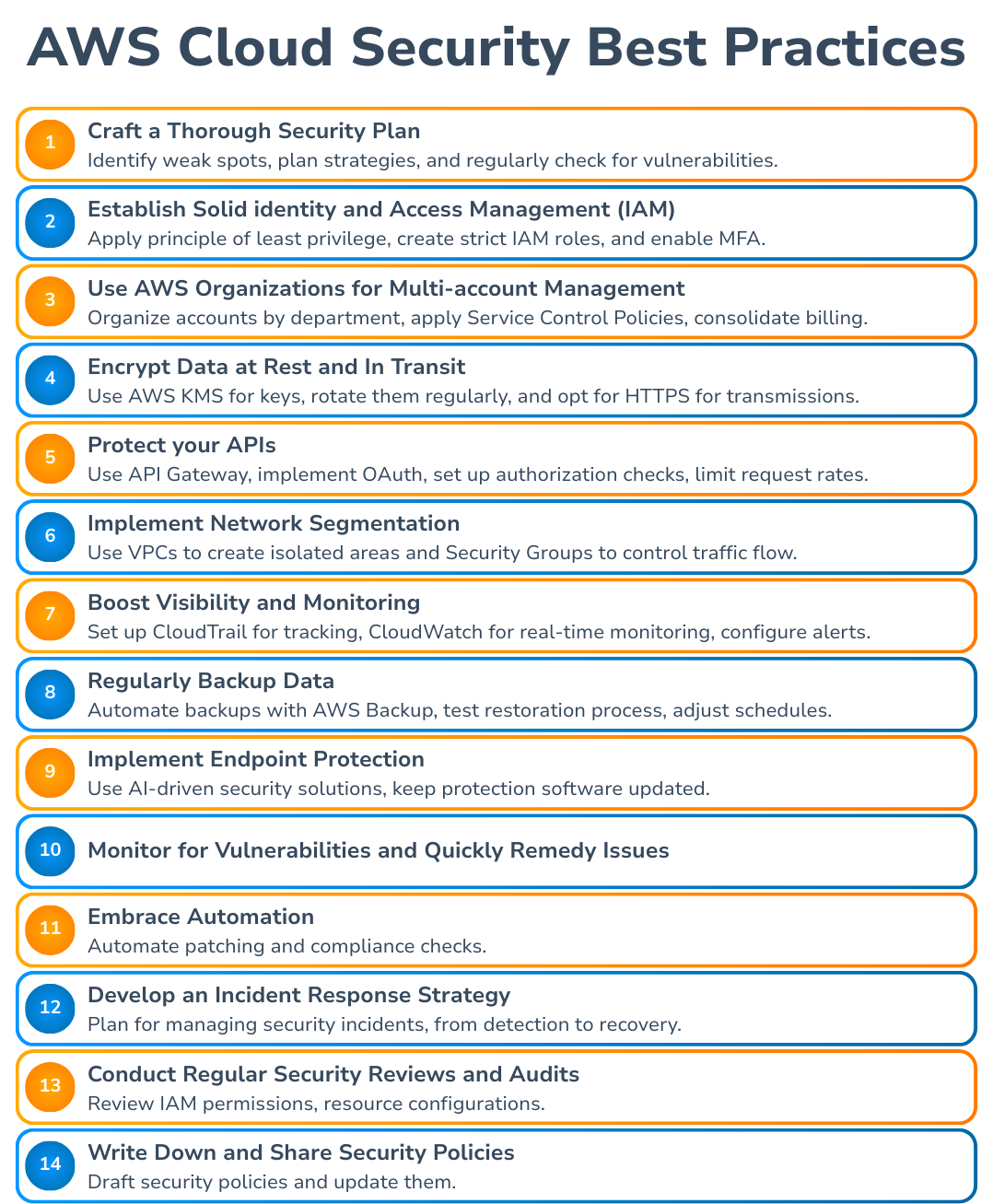
Ensuring strong AWS security in the AWS Cloud helps safeguard sensitive information and meet AWS compliance -- AWS HIPAA compliance needs. These AWS cloud security best practices can help improve security digitally:
1. Craft a Thorough Security Plan
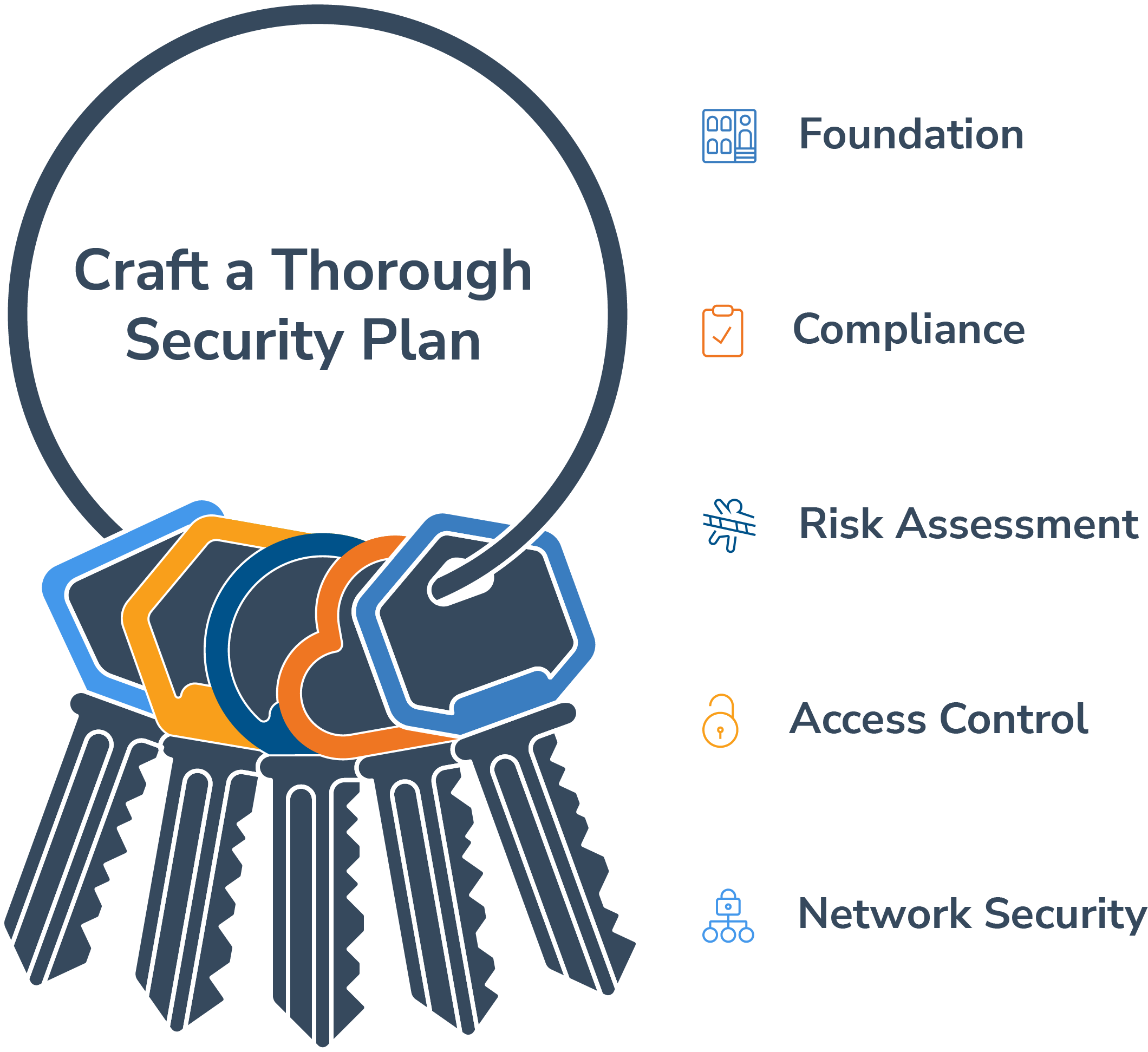
- Think beyond just checking off aws security best practices checklist.
- Identify your weak spots and plan strategies to address them.
- Regularly check your setup for vulnerabilities before they turn into bigger problems.
- This proactive approach can tighten security and enhance efficiency.
2. Establish Solid Identity and Access Management (IAM)
- Follow the principle of least privilege (PoLP): give users only the access they absolutely need.
- Create strict AWS IAM -- aws IAM role policies to balance security and efficiency.
- Plus, enable Multi-Factor Authentication (MFA) on all accounts and refresh access keys to minimize risks.
3. Use AWS Organizations for Multi-Account Management
- This tool streamlines account management, improving security using the AWS Well-Architected Framework.
- Organize accounts by department or project, apply Service Control Policies (SCPs) to restrict actions, and consolidate billing.
4. Encrypt Data at Rest and in Transit
- Always encrypt data at rest and in transit.
- Use AWS encryption via AWS Key Management Service (KMS) for your keys, rotate them regularly, and opt for HTTPS whenever transmitting information.
5. Protect Your APIs
- Protect your APIs with API Gateway.
- Implement solid authentication methods (like OAuth).
- Set up authorization checks.
- Also, limit request rates to avoid misuse.
6. Implement Network Segmentation
- Break your AWS environment into segments to manage traffic better.
- Use Virtual Private Clouds (VPCs) to create isolated areas and Security Groups to control traffic flow.
7. Boost Visibility and Monitoring
- Set up strong monitoring with CloudTrail to track actions and CloudWatch for real-time resource health.
- Alerts for unusual activity and AWS GuardDuty can help you stay on top of cloud security threats.

"More and more, AI-driven services are stepping up to enhance security features. Take Amazon GuardDuty, for example—it uses machine learning to spot unusual activity and potential threats that regular rule-based systems might overlook. Then there’s AWS Fraud Detector, which taps into AI to analyze patterns and catch fraud before it happens, especially in online payments. This kind of proactive approach really boosts your security game!"
8. Regularly Back Up Data
- Automate backups with AWS Backup to keep everything running smoothly.
- Test your restoration process and adjust schedules according to the AWS security best practices checklist.
9. Implement Endpoint Protection
- Safeguard your network entry points with AI-driven security solutions to spot vulnerabilities quickly.
- Keep protection software updated as part of aws security measures.
10. Monitor for Vulnerabilities and Quickly Remedy Issues
- Continuously scan for and fix weaknesses in your setup using AWS Inspector.
- Consider third-party tools for a broader approach, and adopt continuous monitoring for better protection.